 Incented
Settlement
Understanding the settlement and payout process
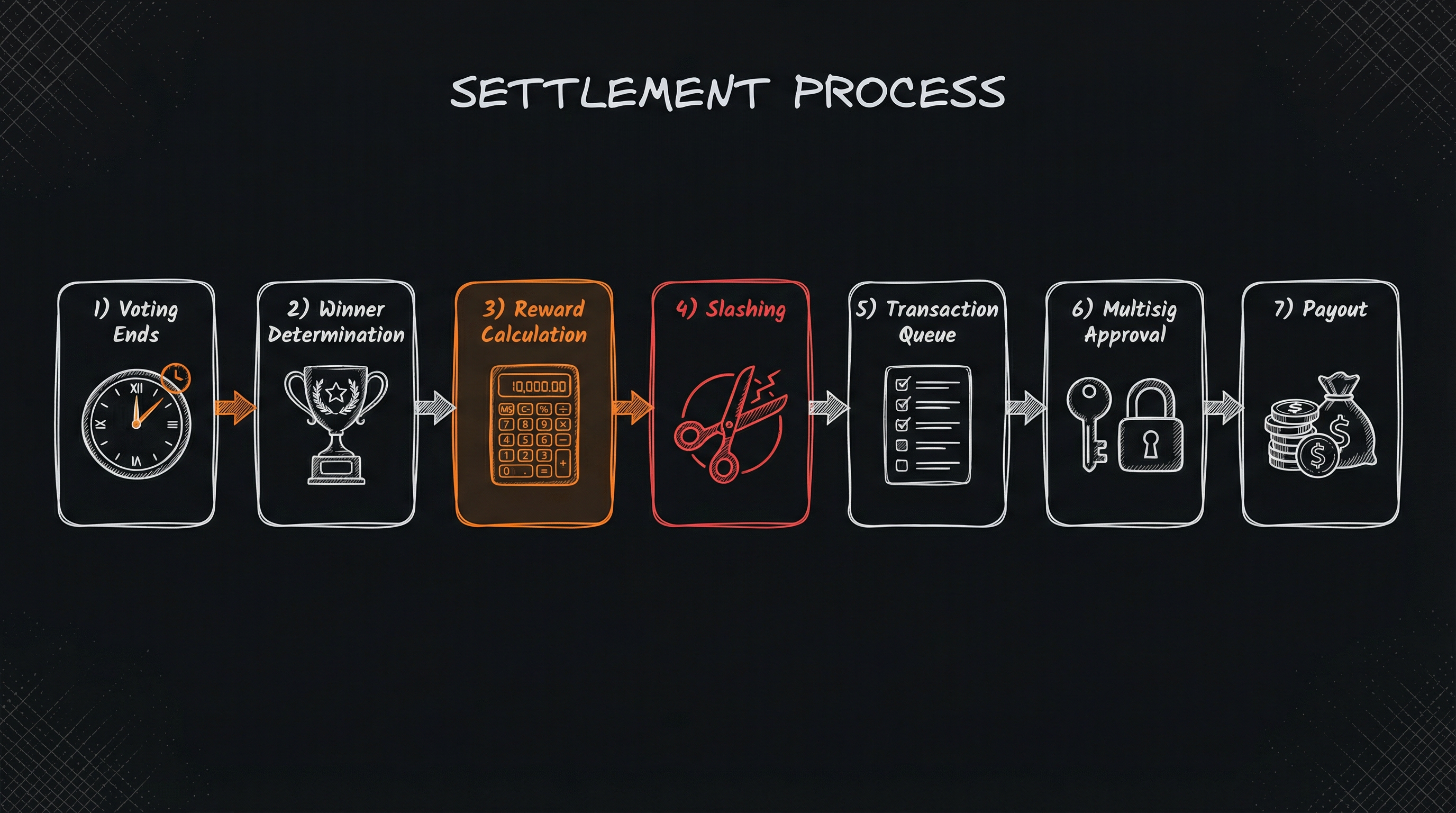
When voting ends, settlement automatically calculates who won, how much everyone gets, and queues transactions for payout. This guide explains what happens behind the scenes.
When Settlement Runs
Settlement runs automatically daily at midnight UTC. It processes all cycles that have finished voting but haven't been settled yet.
Settlement handles all eligible cycles across all programs in a single run.
What Settlement Does
1. Determine Winners
For Top X programs: Calculate net votes (FOR minus AGAINST) for each submission. Sort by net votes, then select the top X that have positive votes. If there's a tie, unique voter count breaks it.
For Quorum programs: Calculate the approval rate for each submission (FOR ÷ total votes). Any submission meeting the quorum percentage with positive net votes wins.
2. Calculate Awards
How winners get paid depends on award type:
- Fixed - Each winner gets the configured amount
- Split Equal - Award pool divided equally among winners
- Split Proportional - Winners split the pool based on their relative vote share
- Milestone - Winners receive their proposed milestone budgets
3. Determine Vote Correctness
A vote is correct if you voted FOR a winner OR AGAINST a loser. A vote is incorrect if you voted FOR a loser OR AGAINST a winner.
4. Apply Slashing
Incorrect voters lose a percentage of their stake (based on your slash percentage). These tokens go into a slash pool.
5. Distribute Voting Rewards
Correct voters share the voting pool plus the slash pool, proportional to how much they staked. Bigger stakes = bigger share.
6. Create Transactions
Settlement creates transaction records for:
- Awards to winners
- Rewards to correct voters
- Stake returns to all voters (minus any slashing)
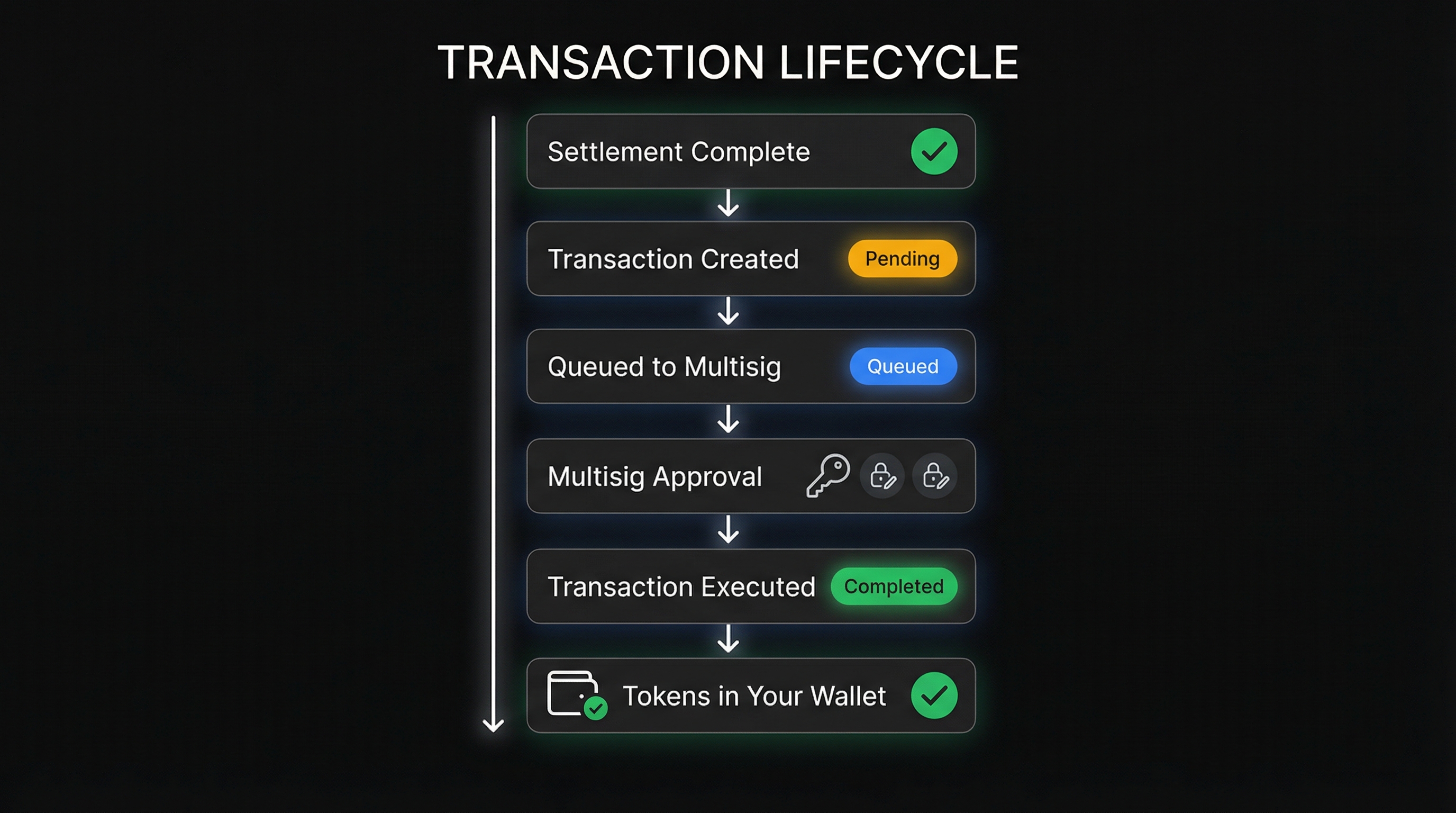
7. Queue for Multisig
If you're using automatic distribution, transactions get queued in your multisig (Safe or Squads). If manual, they're created with "pending" status for you to review first.
Example Settlement
Program setup: 10,000 USDC award pool, 1,000 USDC voting pool, 10% slash, Top 3 winners, Split Equal awards.
Results: Four submissions received votes. App A got +800 net votes, App B got +500, App C got +250, and App D got -100. Apps A, B, and C win (Top 3 with positive votes).
Awards: Each winner gets 3,333.33 USDC (10,000 ÷ 3).
Voters:
- Alice staked 500 FOR App A (winner) → correct
- Bob staked 300 FOR App B (winner) → correct
- Carol staked 200 FOR App C (winner) → correct
- Dave staked 400 FOR App D (loser) → incorrect, loses 40 (10%)
- Eve staked 200 AGAINST App A (winner) → incorrect, loses 20 (10%)
Voting rewards: Total correct stakes = 1,000. Voting pool = 1,000. Slash pool = 60.
- Alice gets 530 (50% of pools) + 500 stake back
- Bob gets 318 (30% of pools) + 300 stake back
- Carol gets 212 (20% of pools) + 200 stake back
- Dave gets 360 stake back (400 - 40 slashed)
- Eve gets 180 stake back (200 - 20 slashed)
Approving Payouts
Once settlement queues transactions, multisig owners need to approve them.
You can find your program's multisig address on the program details page, below the banner next to the program status pill.
For EVM (Safe): Go to safe.global, connect your wallet, find the pending transactions, and sign. Once enough owners sign (meeting the threshold), execute the transaction.
For Solana (Squads): Go to the Squads app, connect your wallet, find pending transactions, and approve. Execute when the threshold is met.
Troubleshooting
Settlement didn't run? Check that voting has actually ended. If the cycle shows as already settled, it won't run again. Contact us if something seems wrong.
Wrong winners? Review the votes and verify your program configuration (Top X vs Quorum, winner count). Contact us if something doesn't match up.
Insufficient funds? Add more tokens to the multisig before executing transactions. Make sure you're adding the right token.
Typical Timeline
- Day 0 - Voting ends
- Day 1 - Settlement runs at midnight UTC, transactions queued
- Days 1-3 - Multisig owners review and sign
- Days 2-4 - Transactions executed, funds distributed
Coordinate with multisig owners beforehand to ensure quick approval.
Next Steps
- Creating a Program - Step-by-step setup guide
- Web3 Essentials - Understand multisig wallets